Lightning Message Service (LMS) in LWC Salesforce. LMS doesn’t need any relationship between the component. Just publish the event from one component and subscribe by multiple components simultaneously.
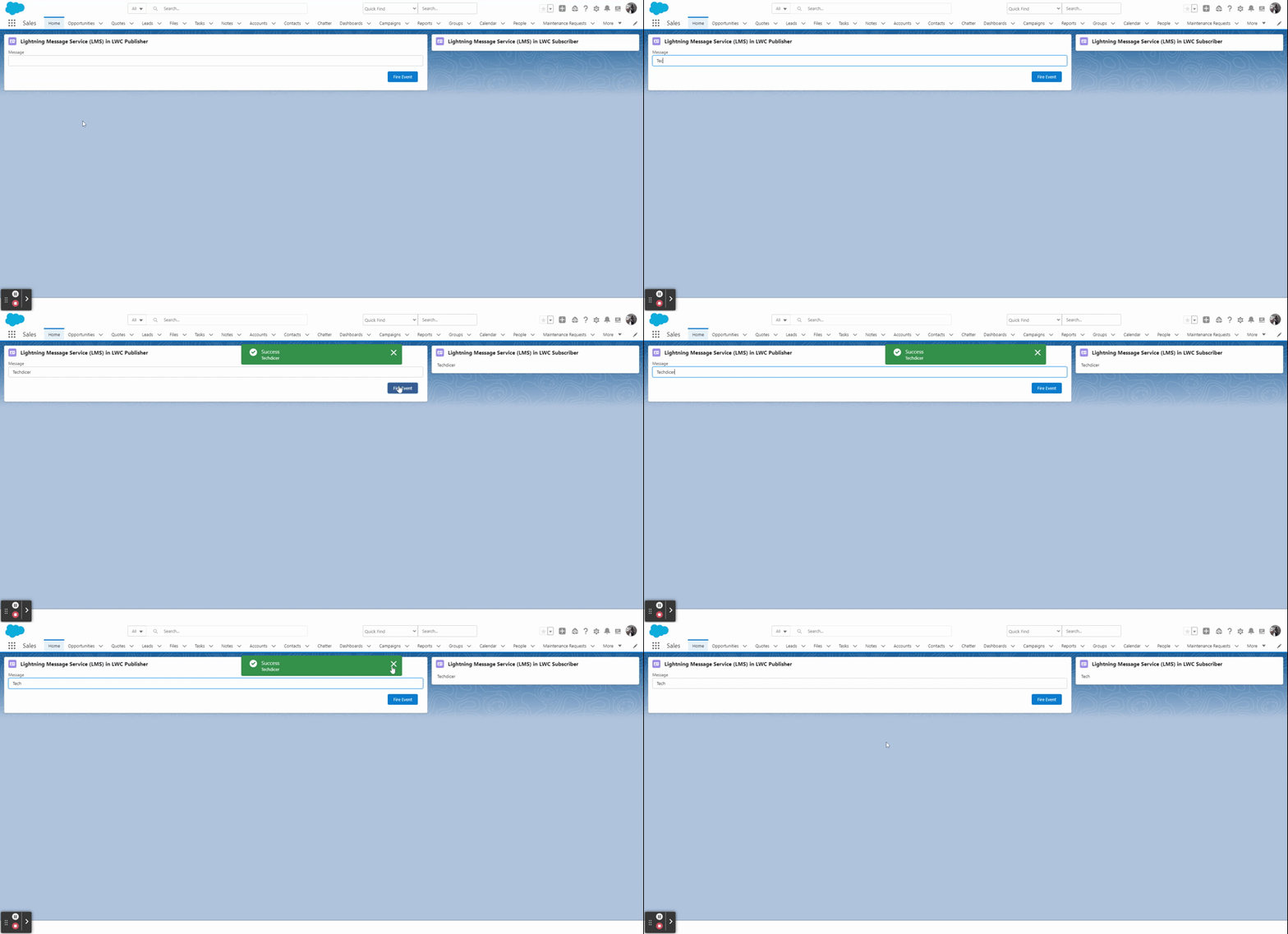
Key Highlights :
- Lightning Message Service is based on a new type of metadata: Lightning Message Channels
- Enable communication between the Visualforce page, Lightning web components, and Aura components.
- In LWC we will be using LMS when we want to send data from one LWC to another LWC which are not in the hierarchy.
Process & Code :
Step 1: Here we will create a Lightning Message Service (LMS) file in the messageChannels folder in the default branch.
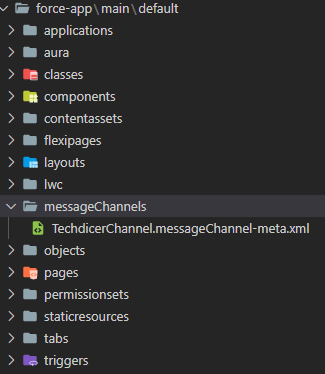
TechdicerChannel.messageChannel-meta.xml :
1 2 3 4 5 6 7 8 9 10 | <?xml version="1.0" encoding="UTF-8"?><LightningMessageChannel xmlns="http://soap.sforce.com/2006/04/metadata"> <description>This is a Lightning Message Service Channel.</description> <isExposed>true</isExposed> <lightningMessageFields> <description>This is sample message</description> <fieldName>message</fieldName> </lightningMessageFields> <masterLabel>TechdicerChannel</masterLabel></LightningMessageChannel> |
Step 2: In this step, we will create two LWC component which is not related to each other, one is the Publisher and another one is the Subscriber component.
lWCLMS.HTML : this is the Publisher component.
1 2 3 4 5 6 7 8 9 10 11 | <template> <lightning-card title="Lightning Message Service (LMS) in LWC Publisher" icon-name="standard:contact"> <div class="slds-p-horizontal_small"> <lightning-input type="text" label="Message" onchange={handleChange} value={message}></lightning-input> <!-- call subscriber --> <div class="slds-p-around_medium lgc-bg" style="text-align: end;"> <lightning-button label="Fire Event" variant="brand" onclick={handleClick}></lightning-button> </div> </div> </lightning-card></template> |
lWCLMS.JS :
1 2 3 4 5 6 7 8 9 10 11 12 13 14 15 16 17 18 | import { LightningElement, wire } from 'lwc';import TechdicerChannel from '@salesforce/messageChannel/TechdicerChannel__c';import {publish, MessageContext} from 'lightning/messageService'export default class LWCLMS extends LightningElement { @wire(MessageContext) messageContext; message; handleChange(event){ this.message = event.detail.value; } handleClick() { let message = {message: this.message}; publish(this.messageContext, TechdicerChannel, message); }} |
subscriber.HTML : This is the Subscriber Component.
1 2 3 4 5 6 7 | <template> <lightning-card title="Lightning Message Service (LMS) in LWC Subscriber" icon-name="standard:contact"> <div class="slds-m-around_medium"> {publisherMessage} </div> </lightning-card></template> |
subscriber.JS :
1 2 3 4 5 6 7 8 9 10 11 12 13 14 15 16 17 18 19 20 21 22 23 24 25 26 27 28 29 30 31 32 33 34 35 36 37 38 | import { LightningElement, wire } from 'lwc';import TechdicerChannel from '@salesforce/messageChannel/TechdicerChannel__c';import { subscribe, MessageContext } from 'lightning/messageService';import { ShowToastEvent } from 'lightning/platformShowToastEvent';export default class Subscriber extends LightningElement { publisherMessage = ''; subscription = null; @wire(MessageContext) messageContext; connectedCallback() { this.handleSubscribe(); } handleSubscribe() { if (this.subscription) { return; } this.subscription = subscribe(this.messageContext, TechdicerChannel, (message) => { console.log(message.message); this.publisherMessage = message.message; this.ShowToast('Success', message.message, 'success', 'dismissable'); }); } ShowToast(title, message, variant, mode){ const evt = new ShowToastEvent({ title: title, message:message, variant: variant, mode: mode }); this.dispatchEvent(evt); } } |
